
The Production Behind the Prompt:
How We Shot a
Commercial with AI
What actually happens when AI becomes part of a real commercial production. A first-person account of the crowd scene, the 3D hangar, the real footage, the client notes, and why the prompt is only the beginning.
UK full-fibre broadband
Mar–Apr 2026
The finished Gigaclear TVC, National UK Broadcast
// THE TRAP OF THE FINISHED LOOK
AI can make something look finished before it is even usable.
That was the trap.
The real work on the Gigaclear commercial was turning beautiful, unstable AI output into controlled production footage.
When people talk about AI production, they often talk about it from the outside. They see a finished image, a short AI video, or a polished commercial frame, and assume the process was mostly about writing prompts until something looked good enough.
That is not what happened on the Gigaclear commercial.
This was a real commercial production with a director, producer, agency, client, storyboard, production notes, real footage, AI-generated locations, 3D planning, animation, retouching, compositing, and a lot of problem-solving that had to happen while the project was already moving. AI was central to the process, but it did not remove production. It changed where the production work happened.
I came into the project during the second week. The first week had already been spent between the director, producer, agency, and client, where the story, storyboard, tone, and overall visual direction were being developed. The director had already created some early AI generations himself, so there was already a look, a feeling, and a rough idea of what the locations and world should become.
My job was not to start from zero. My job was to take that early direction and turn it into something that could support an actual commercial.
01 · Scouting Digital LandDesigning Rural England from Scratch
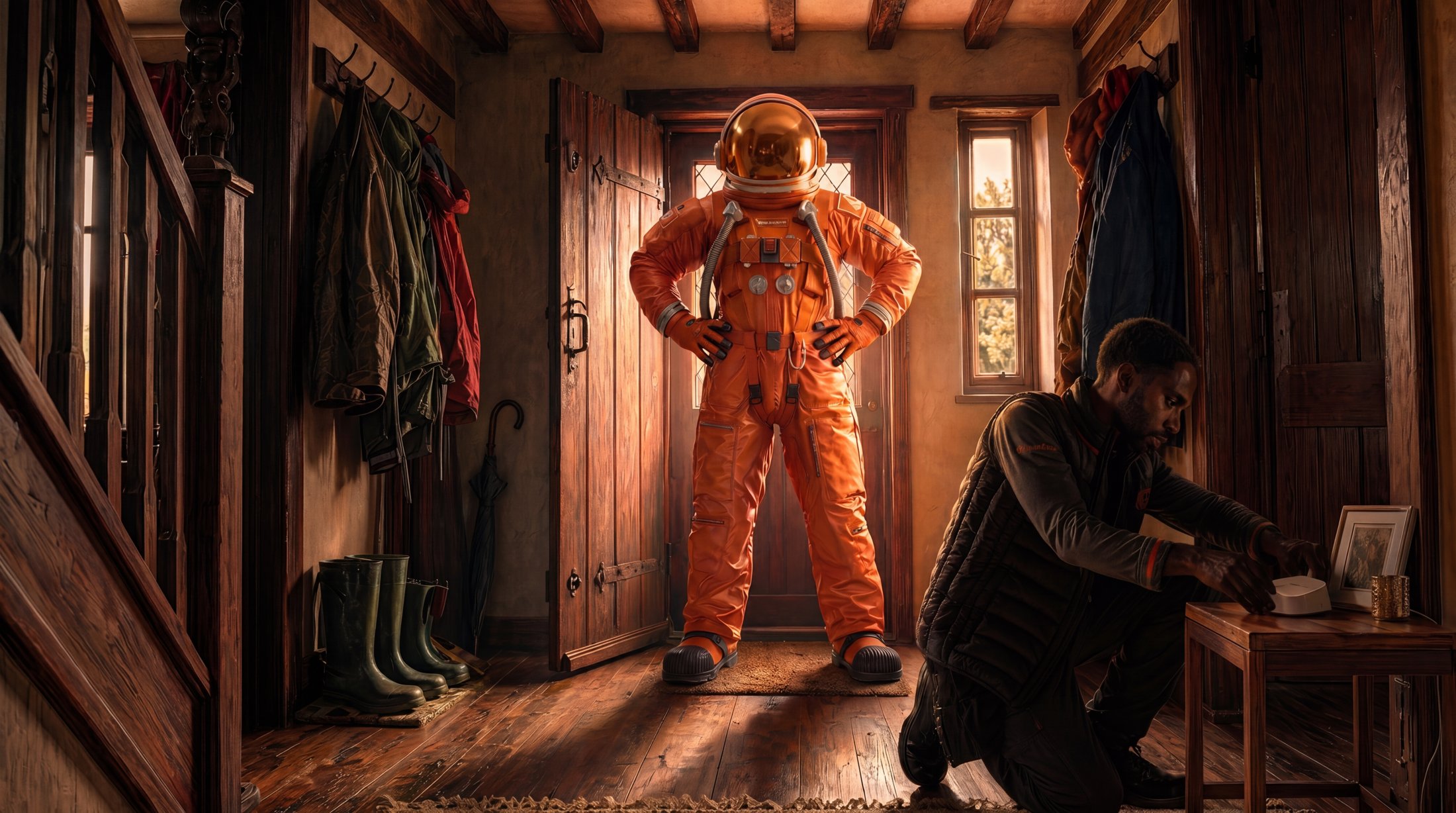
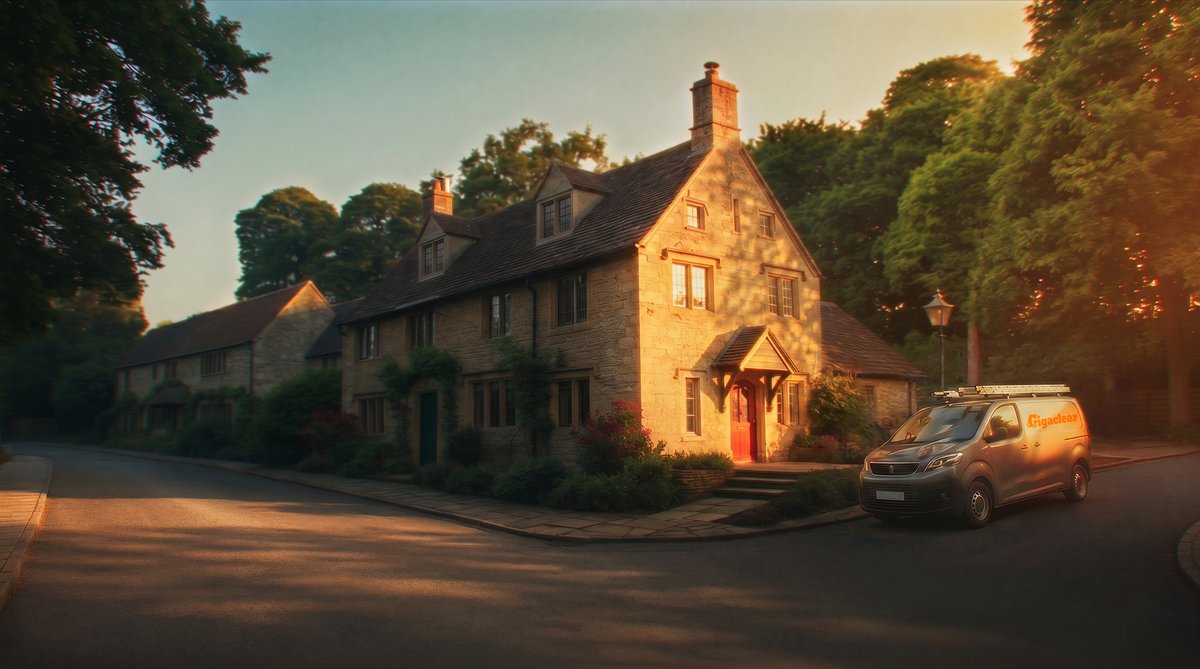
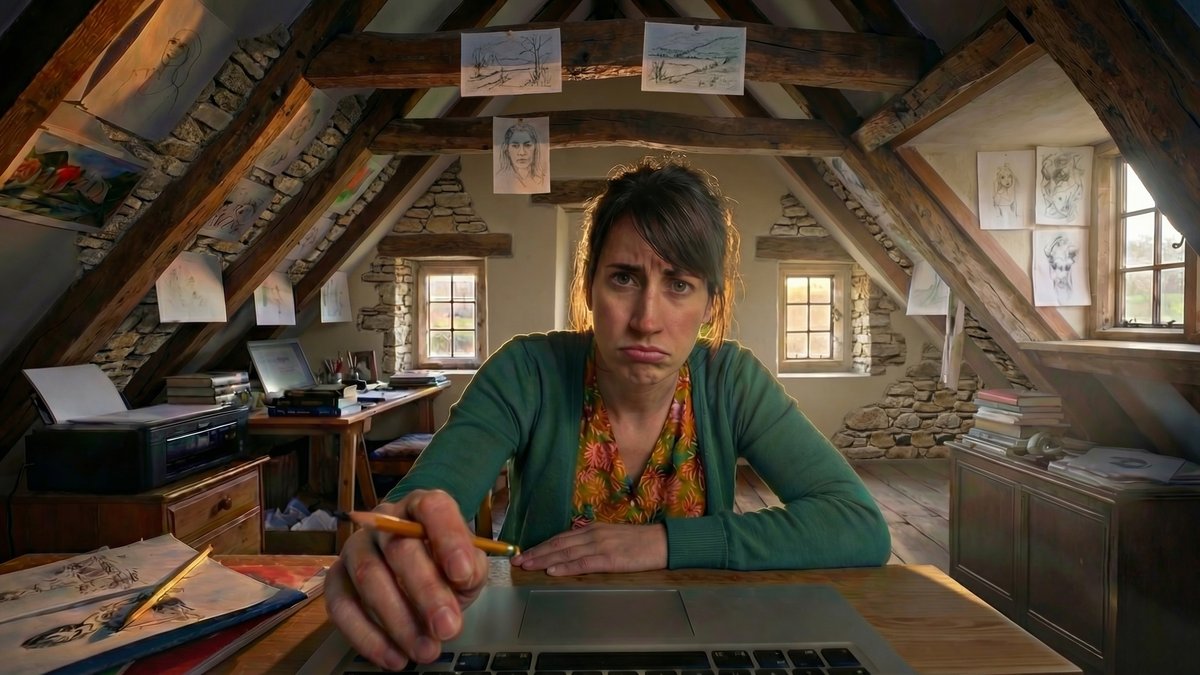
On the first day I joined, I started producing more location options based on the visual direction the director had already provided. The setting had to feel like rural England, and even though the locations were generated with AI, they still needed to feel believable and grounded in reality.
That meant research. We looked at how houses in rural England actually look, both inside and outside. We looked at window shapes, the number of windows, sidewalks, streets, house spacing, exterior materials, interior details, and the general feeling of the surrounding area. The goal was not to create a generic AI village. The goal was to create a place that felt real enough for people to understand the world of the commercial.
The main locations were the interior of the house, the exterior of the house, the street outside, the hangar interior, and the attic room inside the house. Each one had to be treated as a production space, not just a concept image. The house interior needed to feel lived in. The exterior had to match the world. The street had to belong to that specific house. The hangar had to hold the stage, the presenter, the speech, and the crowd. The attic room needed to feel specific enough for the story.
During that same week, we were also working with the agency and client to lock down exactly how those locations should look. This is where the heavy part began. Every location had notes, changes, and smaller details that needed to be adjusted. It was not one round of generations and then approval. It was many versions, hundreds of generations, manual edits, retouching, compositing, and constant back-and-forth to push each location closer to what the project needed.
This is one of the first things people misunderstand about AI production. When you generate images for yourself, you can accept whatever looks best. When you are working for a director, an agency, and a client, you are not choosing the nicest generation. You are building toward a specific creative and production requirement.
In traditional production, once you choose a location, many decisions are already made for you. The windows are where they are. The walls are where they are. The street has a shape. The room has a size. You can dress it, light it, and shoot it differently, but the physical location gives you boundaries.
With AI, those boundaries become flexible. You can move a window, change a street, rebuild a room, adjust the time of day, redesign the exterior, make a hangar feel more cinematic, or create a location that would be difficult to find in real life. That freedom is powerful, but it also creates more decisions. If everything can change, everything can become a note.
That is why this stage was not just image generation. It was closer to AI location scouting, AI art direction, and AI production design happening at the same time.
02 · Storyboards to PixelsTranslating the Director's Eye into Prompts
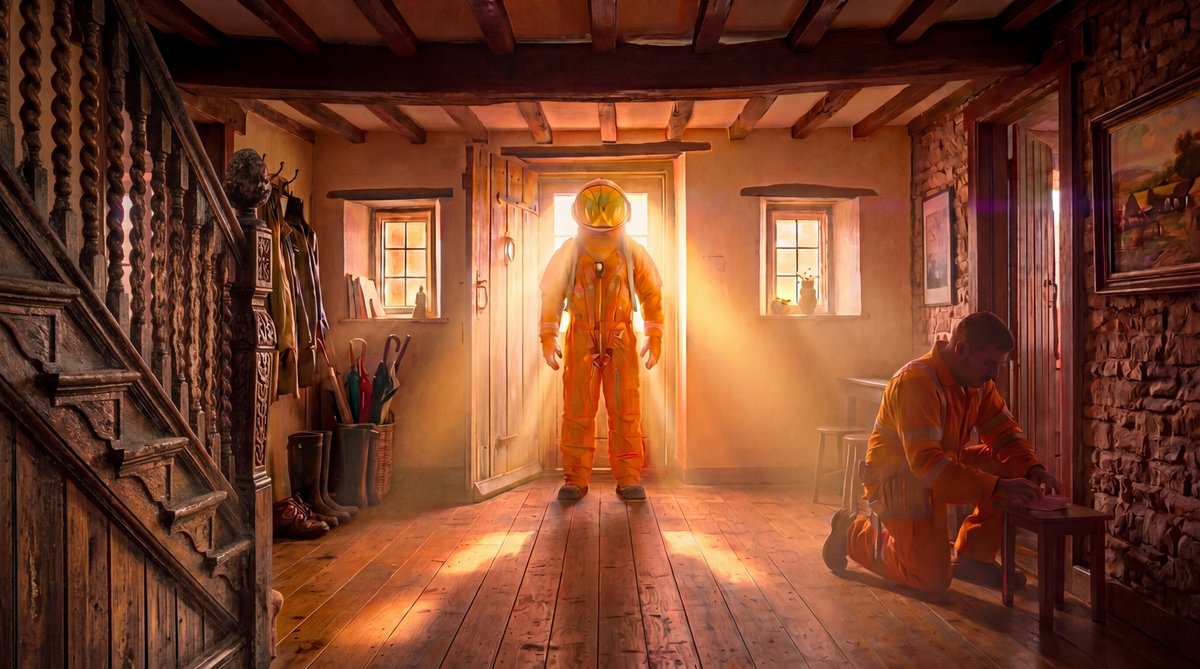
Once the locations were approved, the next step was creating frames from the storyboard. This meant producing different angles, working out character positions, adjusting object placement, testing lighting moods, and figuring out how the storyboard could live inside the AI-generated locations.
This is where AI starts to break down if you treat it as a one-button process. You cannot simply ask a model to understand the storyboard, the approved location, the character, the shot size, the lighting, the edit, and the director's intention all at once. Sometimes it gets close. Sometimes it creates something beautiful but unusable. Sometimes the frame is mostly right, but the part that is wrong is exactly the part that matters.
For that reason, I worked across different platforms and workflows. The agency's main platform was Freepik / Magnific, which became one of the core places for generations and structured spaces. I also used Martini, which was useful at the time for 3D Gaussian splatting and creating scenes from images. I used ComfyUI locally to test angle workflows, reference-based generations, and different ways of exploring how the shots could match the storyboard. On top of that, I used Photoshop, After Effects, Cinema 4D, and custom scripts whenever the AI tools alone could not solve the problem.
The important part is not the tool list. The important part is that real AI production is not loyal to one platform. The tool changes depending on the problem. Sometimes the answer is generation. Sometimes it is retouching. Sometimes it is compositing. Sometimes it is 3D. Sometimes it is a script. Sometimes it is rebuilding the shot in a completely different way because the model will not give you the control you need.
One of the workflows I created was specifically designed to turn storyboard frames into more developed production frames. The idea was to take the storyboard, the animation direction, the visual style, and the approved location language, then use those inputs to create frames that were much closer to the shots we needed.
This workflow did not create final frames automatically, but it helped us get most of the way there. It gave us a way to test angles, see how the storyboard could sit inside the AI locations, and show the director and agency what the shots could become. After that, every frame still needed work. Some needed retouching. Some needed more generations. Some needed objects moved manually. Some needed lighting adjustments. Some needed parts rebuilt because the AI misunderstood the space or changed something that had already been approved.
That became one of the main lessons of the project. AI is extremely strong at giving you a fast, polished-looking base. But the last part of the work is where the production control happens.
A concept frame can look close to finished, especially to someone outside the process. But a commercial-ready shot has to be specific. It has to match the story, the lighting, the camera, the edit, the client's notes, and the surrounding shots. That final stage is where most of the real production work lives.
03 · The Hard BorderBlending Real Actors with Synthetic Worlds
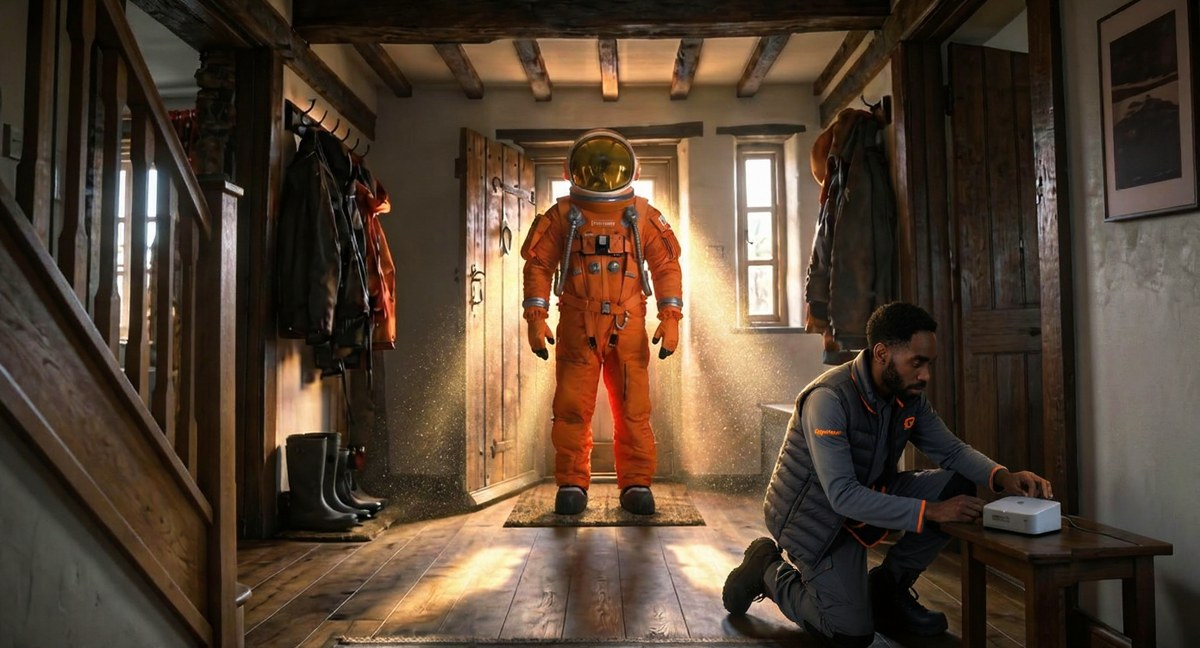
Another layer of the project was mixing real footage of actors with AI-constructed locations. The AI image could not only look good by itself. It had to sit next to real footage and feel like part of the same world.
There were calls with the director and DOP where we discussed lighting, time of day, and how the footage would connect to the AI environments. If an actor is shot in real life and the environment is generated, you need to think carefully about where the light is coming from, how strong the shadows are, how the color temperature feels, and whether the shot gives enough flexibility later in post.
There were two main approaches. If we were confident in the final look, we could try to match the lighting as closely as possible from the beginning, baking the mood, shadows, and direction into the AI environment. That usually gives a more realistic result, but it can also make changes harder if the edit or client direction shifts later.
The other approach was to keep the lighting more neutral, with fewer aggressive shadows and less specific direction, so there would be more room to adjust later. That gives more flexibility in post, but it can also make the frame feel less dramatic at the concept stage.
On this project, we had to think about both approaches depending on the shot. There were also specific visual problems, like creating flying letters and paper around the character, where the real footage and AI-generated elements had to work together. Those are the moments where the project stops being only about AI generation and becomes VFX, compositing, and post-production again.
04 · Building the StageWhy AI Needs a 3D Control Layer
By the third week, production had ramped up heavily. We were working with the director and client to define final frames, lighting, time of day, and the feeling of the shots. I also started testing animation sequences to show the director, so we could understand timing better and see whether certain shots needed to be shorter, longer, added, or removed.
This is also when more artists joined the production, because there was a lot to do and time was becoming tight.
At this point, one of the most important things we did was create the hangar in 3D.
The hangar was not just a background. It was the main space where the Giga hero element would hold the speech, where the crowd would sit, where the stage would be placed, and where several important camera angles had to work. If we had tried to solve that only through prompting, the space would have kept changing. The camera angles would not have been reliable, the layout would not have stayed consistent, and the director would not have had a stable space to make decisions inside.
By creating a 3D hangar, we could understand the space properly. We could plan camera angles, test lenses, think about depth of field and blur, understand movement, place the stage, place the character, and discuss shots with the director while screen-sharing the scene. We could move the camera around live, test ideas, and make practical changes before going deeper into final animation.
This was a crucial step because it gave structure to a process where AI could otherwise become unstable. It is also a step that many prompt-only workflows would skip, because it requires technical skill and production planning. But for this commercial, it made the process smoother and gave us a stronger base for the shots.
When AI could not give us reliable spatial continuity, the solution was to go back to production fundamentals: camera, lens, scale, blocking, staging, lighting, and layout.
05 · The 100-Actor ProblemFinding Solutions for Problems with No Tools Yet
One of the biggest challenges inside the hangar was the crowd.
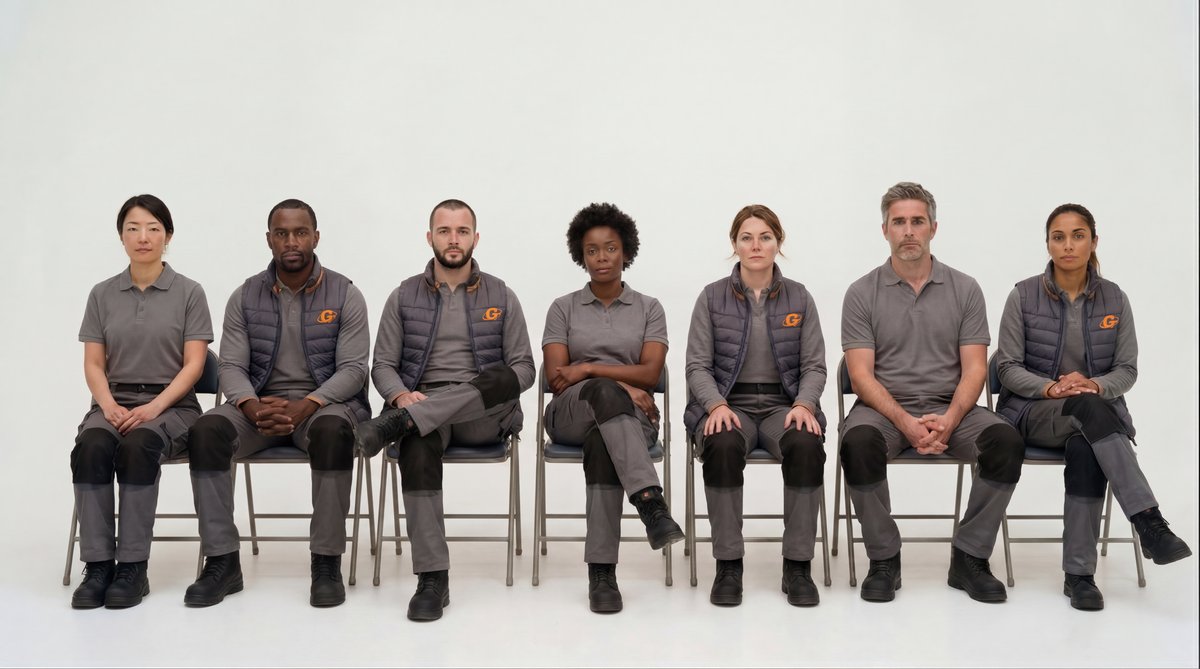
We needed exactly 100 crowd characters inside the hangar, sitting in a specific arrangement. The crowd had to be divided into two sides with a middle pathway for the presenter to walk through. The positions had to feel locked, the layout had to work across multiple camera angles, and there could not be obvious repeated people or repeated faces. It had to feel like a staged production, not a random AI-generated audience.
This is exactly the kind of thing AI is bad at.
AI can generate the idea of a crowd. It can create the feeling of many people in a space. But it cannot reliably maintain a full crowd of specific figures, in exact positions, with consistent spacing, across multiple angles, without changing details every time.
We also did not have time to solve it the long traditional way, where every single person would be built as a full 3D character or handled through a much heavier crowd pipeline. So I had to come up with a faster solution that still gave us a strong production result.
The workflow I built was based on creating crowd rows instead of individual people. I generated groups of five to seven characters at a time using Freepik / Magnific, then created front and back views that could be used to build AI-assisted 3D-like crowd elements. If there had been more time, I could have gone even deeper and created one character per chair, but the goal was to spend the least amount of time possible while still reaching the quality the shot needed.
Once those crowd elements were created, I wrote a script to bring them into Cinema 4D and place them correctly. Instead of manually importing every crowd element, aligning it, spacing it, and making sure it matched the layout, the script helped build the crowd structure inside the scene. When I opened the file, the two sides of the audience were already there, with the central pathway between them.
That saved a huge amount of time and gave us a controlled base. It also meant the crowd was designed around the scene, the path, the camera, and the staging, instead of being a random generation.
For me, this was one of the clearest examples of what creative technology means in production. The problem was simple to describe, but there was no clean tool that could solve it. The solution had to be built from pieces: AI generation, front and back views, AI-assisted 3D, Cinema 4D layout, and scripting.
That is the reality of AI production. A lot of the most important problems do not have a ready-made solution. You have to understand the creative goal, understand the technical limitation, and build a practical path between the two.
06 · The Bottom LineComparing Traditional Shoots vs. Hybrid Pipelines
For the crowd scene, I wanted to understand the rough difference between a practical shoot and a smaller AI / 3D hybrid production. These are illustrative planning ranges, not the Gigaclear project budget or a supplier quote.
| Category | Traditional Live-Action Shoot | AI / 3D Hybrid Production |
|---|---|---|
| Crowd | 100 real crowd actors / extras | 100 digital crowd characters |
| Location | Real hangar rental, permits, insurance | 3D hangar build and digital scene setup |
| Crew | Director, producer, DOP, camera, lighting, art department, wardrobe, makeup, production team | Creative technologist, AI artists, 3D artist, compositor, animator |
| Main Cost | Crew, location, equipment, crowd actors, logistics | 3D setup, crowd workflow, AI generation, animation, compositing |
| Main Challenge | Coordinating a large physical shoot | Keeping space, crowd, camera, and animation consistent |
| Flexibility | Lower after the shoot is done | Higher, but revisions can still be technically heavy |
| Estimated Range | $56K – $157K | $21K – $73K |
| Best Summary | Expensive but physically real | Smaller footprint, still production-heavy |
The AI approach did not mean there was no work. It still required a lot of work. But it allowed the team to attempt a much bigger idea with a smaller footprint. That is the real value of AI production for commercials. It does not make production free. It makes certain ambitious ideas more reachable if the team knows how to control the process.
07 · Making it MoveAnimating, Glitching, and Fixing the Edit
In the fourth week, we moved more deeply into animation.
For that stage, I used a mix of Cinema 4D renders, storyboard frames, AI video generation, prompt editing, video-to-video workflows, extensions, and post-production cleanup. Some clips came out decent after only a few tries. Other clips needed a lot of prompt editing, reference changes, and fixing.
This is normal in AI video production. One shot can work quickly, and the next shot can completely break for reasons that are not obvious at first. Sometimes the model understands the movement but destroys the environment. Sometimes it keeps the environment but changes the character. Sometimes the beginning is good and the ending falls apart. Sometimes the frame looks perfect until you put it in the edit and realize the timing does not work.
The window shot
One of the clearest examples was a shot near the beginning of the commercial where the director wanted a specific camera movement through a window. The camera needed to move through the exterior and enter through a specific window.
There were a few possible ways to solve this. One option would have been to create a simple box-model version of the house in Cinema 4D, move the camera through primitive geometry, and then use the first and last frames as references for video generation.
In this case, I first tried to solve it through a detailed prompt and references, and it actually worked very well early on. The question then became which window was the best one. I first tested the side windows, which looked good, but then I tested the slit window in the middle of the shot, and that ended up being the better option.
Even when that worked, the shot was not done. The moment the camera moved toward the real performance of the actor, the environment started to hallucinate. That had to be fixed with video-to-video work, cleanup, regeneration, and video extension so it would fit properly into the final edit.
You do not always know what is missing until the footage is in the edit. A shot can look good by itself, but once it is next to the previous and next shot, you may see that it needs a few more frames, a cleaner transition, a better ending, or a different movement.
That is where post-production experience matters. You are not just using what the AI gives you. You are creating what the edit needs.
08 · Expectation vs. RealityThe Unwritten Rules of AI Filmmaking
None of this was a surprise. I have spent more than a decade in post-production, and I went into this project knowing exactly where AI would help and exactly where it would fight me. This is not a story about learning how AI works. It is a record of the problems I already knew were coming, and how we kept control of them inside a real production, with a real client and a real budget.
Every pitfall I expected showed up on schedule. Consistency was hard. Specific changes were hard. Client notes were not always simple. Animation was unpredictable. The tools could get us very far, very quickly, and then break in strange ways at exactly the moment we needed control. I planned for all of it, because none of these are new problems to me. They are the same failure points I have worked around for years, this time wearing an AI label.
That is also why AI was so powerful here. Used inside a real production mindset, by someone who already knows what to do when it breaks, it let us build locations, explore ideas, test shots, and attempt things that would have been much harder or more expensive before. The tool did not make the difference. Knowing how to run it did.
The key difference is that real AI production with real clients and real budgets requires more than prompting. You need post-production experience. You need to understand agency work. You need to communicate process clearly. You need to explain why a note might be simple in theory but difficult in practice. You need to know when to use AI, when to use 3D, when to composite, when to retouch, when to script something, and when to change the approach completely.
Before AI, it was easier to explain why something would take time. You could say something needed 3D modeling, rendering, lighting, simulation, compositing, or cleanup, and people had a rough understanding that those things took time. With AI, the first version can appear so quickly that people assume the rest should also be quick.
That is probably one of the biggest communication challenges in AI production right now.
AI has made pre-production faster than ever. It has changed how quickly we can create ideas and show possibilities. But pre-production is not the same as final production. A concept frame is not the same as a finished shot. An impressive generation is not the same as a commercial-ready sequence.
09 · The Creative TechnologistSolving Problems Without Tutorials
For me, this project is a clear example of why the creative technologist role matters.
The role is not just about knowing prompts or being attached to one AI platform. It is about using technology in creative ways to solve problems that do not have obvious solutions.
On this project, that meant creating location workflows, testing AI and 3D Gaussian splatting, using ComfyUI for angle exploration, building a 3D hangar, scripting a crowd layout, mixing real footage with AI environments, handling animation issues, and constantly moving between creative direction and technical execution.
The problems were not always standard VFX problems, and they were not always standard AI problems either. They were somewhere in between. That is why the role is valuable. You need to understand the creative goal, but you also need to understand the technical path to get there.
The crowd workflow is the clearest example. The problem was simple to describe: create a consistent seated crowd of 100 inside a hangar with a central pathway and multiple usable camera angles. But there was no clean tool that could do that. So the solution had to be invented from pieces.
That kind of problem-solving is what AI production actually needs.
10 · The Final FrameAI Didn’t Kill Production, It Expanded It
The final lesson from the Gigaclear commercial is not that AI replaces the production process.
It changes the shape of it.
It gives teams the ability to dream bigger, move faster in pre-production, create more ambitious worlds, test ideas quickly, and produce images that would have required much more money and time before. It gives brands, agencies, and directors a new way to imagine what is possible.
But it still needs people who understand direction, production, post-production, 3D, lighting, compositing, editing, animation, and client work. It needs people who can stay calm when the tool breaks and still find a way to finish the shot.
The Gigaclear commercial was generated with AI, but it was not made by AI alone. It was produced through weeks of location work, client feedback, visual development, production planning, 3D blocking, a full digital crowd, real footage integration, animation tests, video-to-video fixes, retouching, compositing, and final problem-solving.
The prompt is only the beginning.
The production is everything that happens after.
Whether you are an agency, a brand or hiring me directly, send the brief, script or storyboard and explain how you will measure success. I will tell you what is realistic, what should not be done with AI and how the production should run.
Send the brief → See how we work →Kevin Kuteli
Creative Technologist & AI Production Director bridging the gap between AI generation and real commercial production. Combining generative AI, 3D, VFX, and post-production into workflows that actually ship. Works globally with agencies, directors, and brands.
// Written from direct production experience on the Gigaclear national commercial.
Full image archive and cost breakdown available on request.
← Back to AI Production WorkflowsMainly taking on projects. Open to embedded, day-rate, or full-time roles for the right production — resume here.